Codes that put a product in the cart
The QR sheet tab makes one scannable code per size of everything in stock. A shopper scans it with their phone camera, the item lands in their cart in the OOOG shop, and they pay there. This page walks through the tab from top to bottom.
01Open the tab
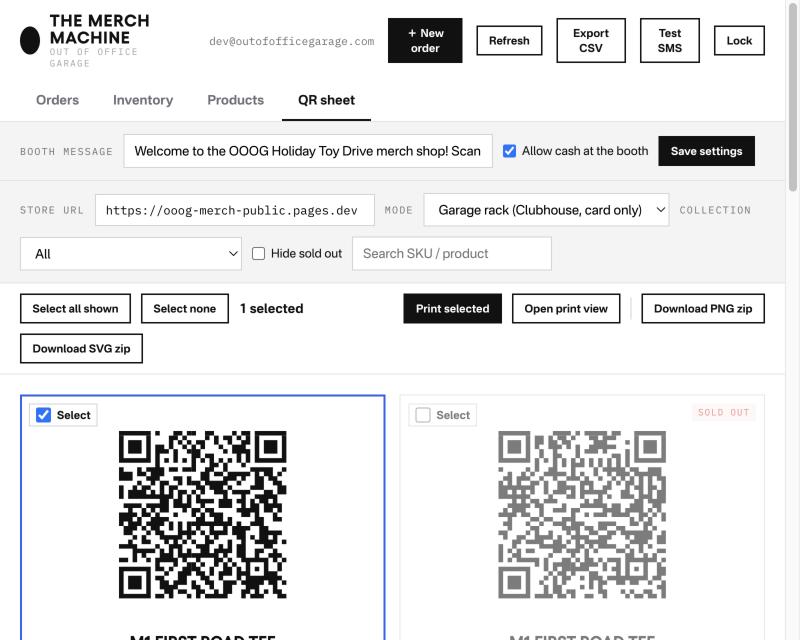
In the Merch Machine, the QR sheet sits next to Orders, Inventory and Products. It draws from the same inventory the Inventory tab shows, so the names, sizes, prices and stock on the codes are always the live ones.
02Booth message and cash
The top row is not about the codes themselves. It changes what a shopper sees in the store after they scan one of them.
Booth message is a line shown at the top of the store for anyone who arrives through a code in booth or garage mode. Say you are making codes for the Holiday Toy Drive: put “Welcome to the OOOG Holiday Toy Drive merch shop! Scan the code, choose your payment method, and enjoy your gear!” in the field, press Save settings, and that is the line at the top of their screen. Leave it blank and the store shows its standard line for the mode.
Allow cash at the booth decides whether a shopper in booth mode sees a Pay Cash button. At Woodward a lot of people, and a few little duders, wanted to flex their wad and pay in cash. Cool with us, no fees on greenbacks. Untick it when nobody is at the booth to take money.

03Pick a mode
A mode decides what the store does when a code is scanned. Pick it before you print, because the mode is baked into the code.
Garage rack
For codes that live on items at the Clubhouse. Pickup from the rack, no shipping. Card or Apple Pay only, no cash, because nobody is there to take it. Email and mobile are optional and only used for a receipt.
Booth
For events: Woodward Dream Cruise, the holiday party, the toy drive. Pickup at the booth, cash allowed when the box above is ticked. In Orders the sale shows as an event sale, not a website or Clubhouse one.
Normal store
What it sounds like. The code adds the item to the cart and the shopper checks out as on the website, choosing shipping or pickup.
Leave Store URL as it is. It only changes if the shop moves to a new address, and then every printed sheet is reprinted anyway.

04Pick what to print
By default the sheet shows every size of every product. Three controls narrow it down.
- Collection shows one collection only. When the Fall Drop is added to the inventory and you want codes just for it, pick it here.
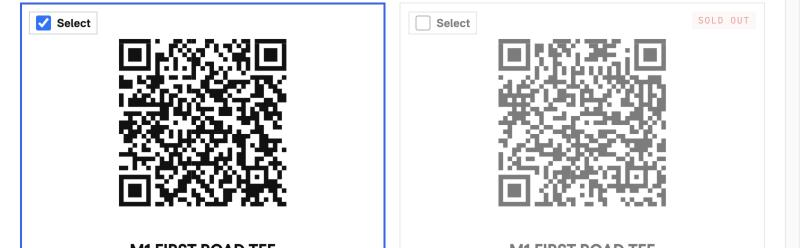
- Hide sold out drops sizes with no stock. Left unticked, sold-out sizes stay on the sheet, dimmed and marked, which is right for a sheet that stays up: the code starts working again the moment stock is added.
- Search finds a product or a SKU by name.
05Select, print, download
Tick the cards you want, or tick nothing and everything shown is used. The count next to the buttons tells you which.
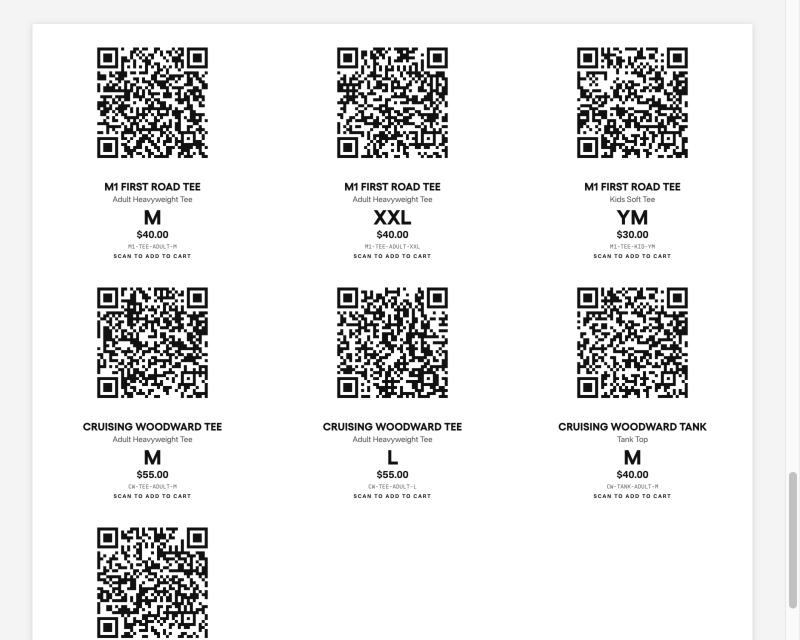
- Print selected prints the sheet with twelve codes to a Letter page and never cuts a code across two pages.
- Open print view shows the sheet on its own first, so you can see the pages before printing.
- Download PNG zip and Download SVG zip save every selected code as its own file, named by SKU. PNG for Canva, Word or a text message. SVG for a sign printer, since it stays sharp at any size. Each card also has its own PNG and SVG buttons for a single code.

06What the shopper sees
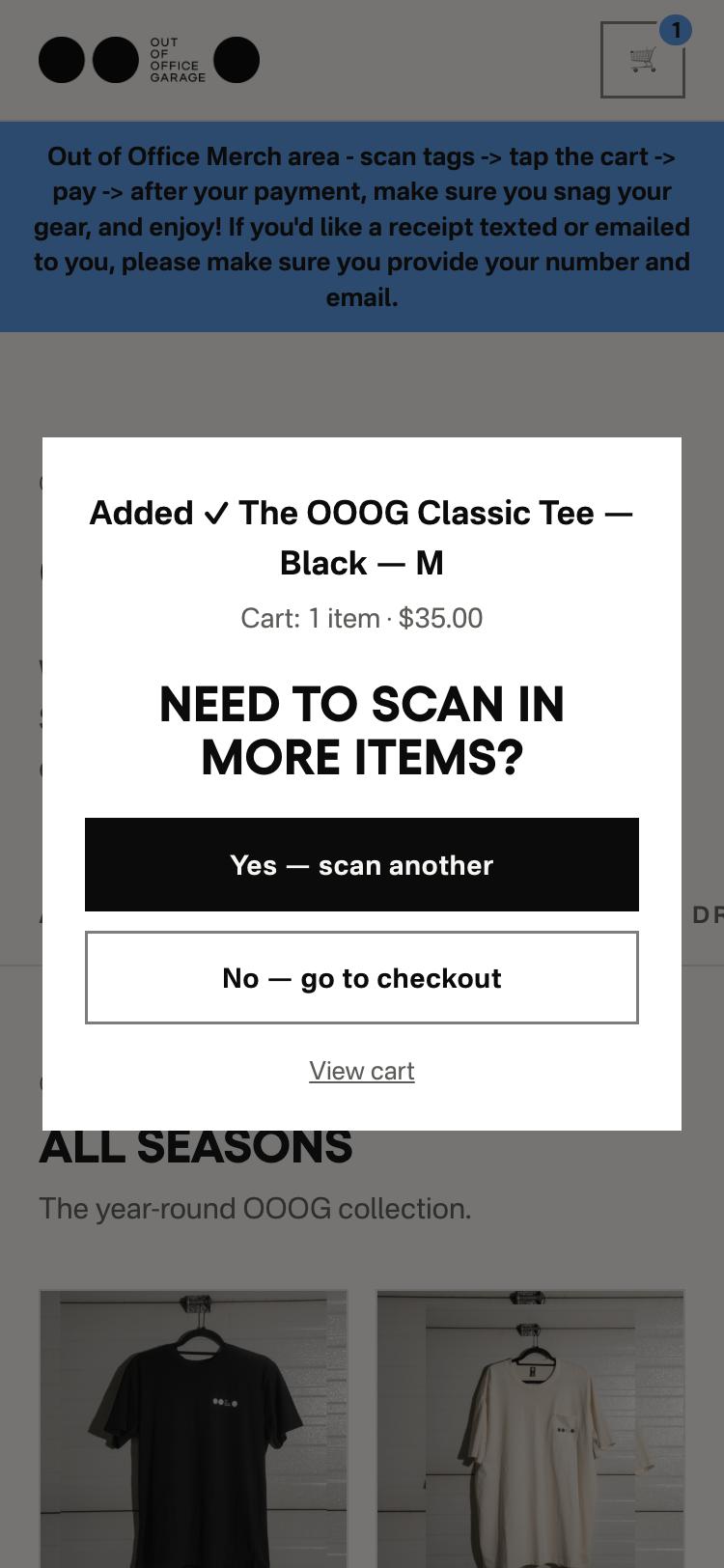
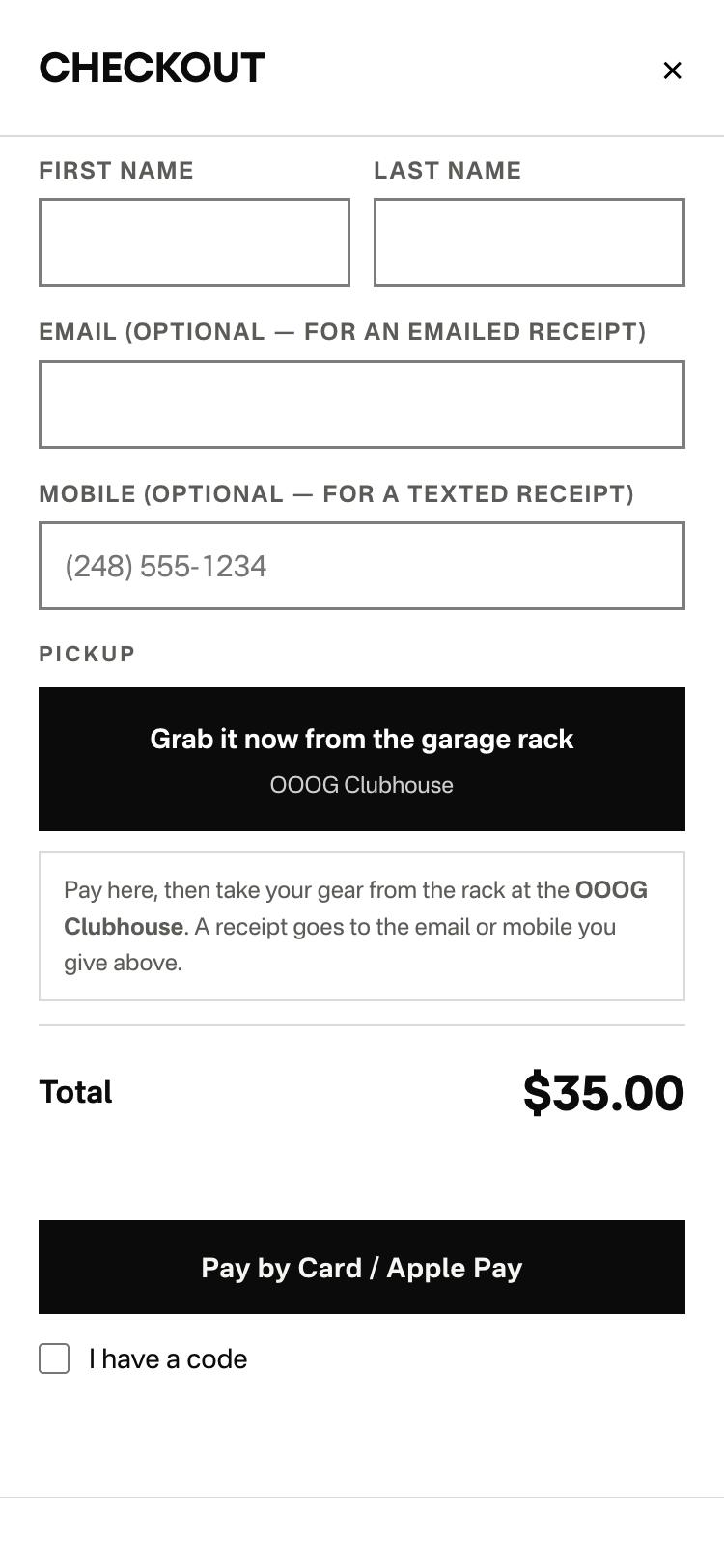
They scan with the phone camera, the store opens with the booth message at the top, and the item is already in the cart. A prompt asks whether they want to scan more. Then checkout, which in garage mode asks only for a name, with email and mobile optional for a receipt, and takes card or Apple Pay.
Good to know
- A code carries only the store address and the SKU. Price, stock, wording and mode behaviour are looked up live when the phone opens it, so changing a price or a message never needs a reprint.
- Reprint only when the store address changes. That is the one thing baked into the code besides the SKU and the mode.
- Codes printed before garage mode existed open the store in booth mode. They work, but show the booth wording. Reprint them with the mode on Garage rack.
- Comp codes work at the rack too. The checkout keeps the “I have a code” box, so a gifted item still comes out of stock.
- Every sale shows in Orders with its source: Garage, Event, Guest or Member, so rack sales and booth sales can be counted on their own.
Something off, or a wording you want changed? Tell John. The booth message and the cash switch are yours to change any time from the tab; everything else is a small edit.